
Walk into the App Store and you will find racing games everywhere. Hundreds of them. Most come with shiny trailers, complicated control schemes, and enough tutorial pop-ups to make you question whether you actually want to play at all. You get through the tutorial, race for a few minutes, and then quietly delete the game because there was nothing really there.
Hill Climb Racing is the other kind of game. No long tutorial. No complicated mechanics to memorize. Newton Bill, a beat-up Jeep, two buttons, and hills that fight back. It launched back in 2012 and somewhere north of a billion people have installed it since then. In 2026, it is still getting updates, still earning new players, and still making old ones come back for one more run.

If you have an iPhone, iPad, or MacBook and you have not tried it yet — or you are returning after a while away — this guide covers everything from downloading it to understanding what actually makes it worth your time.
📋 App Info
| Detail | Information |
| Game Name | Hill Climb Racing |
| Developer | Fingersoft |
| Platform | iOS — iPhone · iPad · iPod Touch · Mac |
| Latest Version | v1.68.8 (2026) |
| App Store Category | Racing / Games |
| File Size | ~110 MB |
| Minimum iOS Required | iOS 16.4 |
| Price | Free |
| Offline Mode | ✅ Fully supported |
| In-App Purchases | Optional |
How to Download Hill Climb Racing For Iphone/Ipad
The process is about as simple as downloading gets. From opening the App Store to your first run takes under two minutes.
- Step 1 — Click the Download Button.
- Step 2 — Tap the Search tab at the bottom. Type Hill Climb Racing and hit the search button.
- Step 3 — Now, Install this exciting racing game from the Apple App Store.
- Step 4 — Wait till the installation process is complete.
- Step 5 — Now, launch the app on your Apple device.
- Step 6 — Once installed, tap the icon. The game opens straight to the garage — no sign-up, no forced tutorial. You are ready to drive immediately.
Download Hill climb racing For MacBook
MacBook users with Apple Silicon can run Hill Climb Racing directly without any emulator. If your MacBook has an M1, M2, or M3 chip — you are good to go.
- Step 1 — Open theApp Store on your MacBook from the Dock or Spotlight.
- Step 2 — Search for Hill Climb Racing in the search bar at the top left.
- Step 3 — Now, download Hill Climb Racing from the Apple App Store.
- Step 4 — Once installed, open the game from Launchpad or your Applications folder.
- Step 5 — Use your keyboard to play — arrow keys work as gas and brake, or customize key bindings in settings.
Important: This only works on Apple Silicon Macs — M1 and newer. If your MacBook runs an Intel processor, Hill Climb Racing will not appear in your Mac App Store search. In that case, playing through an Android emulator like BlueStacks on Windows is the alternative.
Key Features of Hill Climb Racing For IOS
Physics That Actually Reward Skill
Hill Climb Racing delivers a physics-based racing experience that creates both challenge and excitement during gameplay. Press gas too hard going up a hill and the front wheels lift. Hit a drop at full speed and you sail into the air. Land at the wrong angle and your run ends right there. Every surface changes how your vehicle behaves — ice removes grip almost entirely, sand resists traction, and the Moon’s low gravity makes every small jump a long, slow float. Inputs on iOS feel instant, which is a big part of why the game feels satisfying to play on iPhone and iPad specifically.
70+ Vehicles — Every One Handles Differently
Hill Climb Racing is not a game where you unlock better versions of the same car. Each vehicle in the garage has genuinely different physics and belongs on different stages. The Jeep is balanced and forgiving — it is the best vehicle to learn the game with. The Monster Truck is heavy and stable on rough terrain. The Motocross Bike is quick but punishes every small mistake with an immediate flip. The Tank is almost impossible to roll over. The Moonlander was built specifically for low-gravity stages and feels awkward everywhere else. The Rally Car is what experienced players take into Cave for distance records.
Understanding which vehicle belongs on which stage — and why — is one of the most interesting parts of the game. If you want a deeper breakdown, check out our full vehicles guide where each car is covered in detail.
44 Stages — Each One a Different Challenge
The variety across Hill Climb Racing’s 44 stages is one of the things that keeps long-term players engaged. Countryside is the starting point — gentle, forgiving, good for learning. Highway is flat and fast, better suited for the Race Car than almost anything else. Arctic covers the track in ice and strips traction away from most vehicles. Cave goes underground, gets tight and technical, and rewards precision over speed. Moon changes the physics entirely with reduced gravity.
Each stage demands a different approach, which means you are constantly being pushed to think about vehicle choice and driving style rather than just repeating the same run over and over. For a detailed look at which stages are worth your time and why, see our full stages guide.
Fully Offline — No Internet Needed
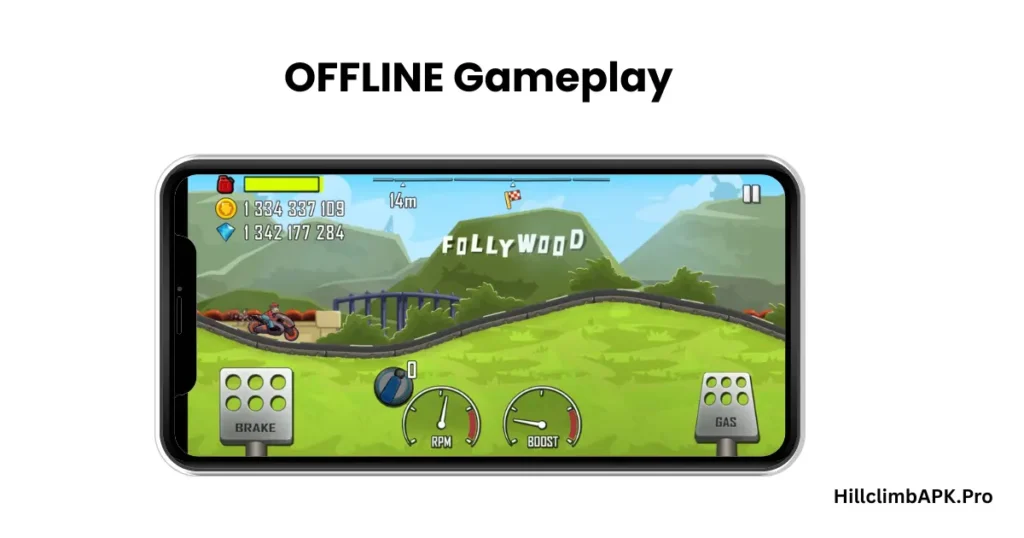
Once Hill Climb Racing is installed on your device, you never need an internet connection to play. Every vehicle, every stage, every upgrade works without Wi-Fi or mobile data. It is one of the few games that is genuinely useful on a long flight, in a subway with no signal, or anywhere else where connectivity is unreliable.
iCloud Sync — Your Progress Follows You
Hill Climb Racing syncs your progress through iCloud. Switch from one iPhone to another, reinstall the game after clearing storage, or move between your iPhone and iPad — everything comes back automatically when you sign in with the same Apple ID. Coins, vehicles, upgrades, and stage progress all carry over without any manual backup required.
Regular Updates With New Content
Fingersoft keeps updating the game consistently. New vehicles arrive every few months. Seasonal events bring limited-time challenges and rewards. Performance improvements and bug fixes keep the game stable across new iOS versions. For a game released in 2012, the level of active development in 2026 is genuinely impressive.
Hill Climb Racing System Requirements for iOS
| Requirement | Minimum | Recommended |
| iOS Version | iOS 16.4 | iOS 17 or above |
| Compatible Devices | iPhone, iPad, iPod Touch | iPhone 12 or newer |
| Free Storage | 200 MB | 500 MB |
| RAM | 2 GB | 3 GB or more |
| Internet Connection | Not required | Not required |
| Mac Support | Apple Silicon only | M2 or newer |
Most iPhones from the last five or six years handle the game without any issues at default settings. If you are playing on an older device and notice occasional frame drops, going into the game settings and switching graphics quality from High to Medium fixes it in most cases. Some of the Old versions of Hill Climb Racing may not be competable with IOS
Hill Climb Racing Common Issues in iOS
Game crashes after a new iOS update
This sometimes happens when Apple pushes a major iOS version and Fingersoft has not released a compatibility update yet. The fix that works most often — delete the game, restart your phone, then reinstall from the App Store. Progress syncs through iCloud, so reinstalling does not lose anything as long as you are signed into the same Apple ID.
Progress gone after switching phones
This catches people off guard. iCloud only syncs progress from devices where you were actively signed in. If you switched to a new iPhone without making sure the old device was synced, the new phone may start fresh. Before switching devices, open the game on your old phone while connected to your Apple ID and wait a moment for the sync to complete.
Ads interrupting the experience
The free version includes ads between runs — not mid-run, but between sessions. If they bother you, Download the Hill Climb Racing Mod APK the ad-free version and modified version of Hill Climb Racing with some extra features.
Pros
- Completely free to download and play
- Works entirely offline after installation
- 70+ vehicles with real handling differences
- 44 stages that stay interesting across hundreds of sessions
- iCloud sync keeps all progress safe
- Regular updates with new vehicles and events
- Runs smoothly on iPhone, iPad, and Apple Silicon Mac
Cons
- Ads appear between runs in the free version
- Coins earn slowly in early stages — progress takes patience
- No multiplayer — that is Hill Climb Racing 2, a separate game
Conclusion
Hill Climb Racing for iOS has been around long enough to prove it belongs. A billion downloads is not a number that happens by accident — it happens when a game is genuinely fun to pick up and put down, session after session, without ever asking too much from the person playing it.
Two buttons. Good physics. Forty-four stages that keep challenging you in different ways. It is free, it works offline, and it runs well on every supported Apple device. Download it from the App Store and see how far you can push before gravity wins.
FAQ’s
Yes, fully free. The App Store download costs nothing. In-app purchases exist for coins and there is a paid ad-free version called Hill Climb Racing+, but neither is required to enjoy the complete game.
Nothing, as long as you are signed into the same Apple ID. Hill Climb Racing saves your progress through iCloud automatically. Delete the game, reinstall it later, sign in with the same account, and everything is exactly where you left it.
Yes — on any MacBook with Apple Silicon (M1, M2, M3 or newer). Search for it in the Mac App Store and install it like any other app. It works with keyboard controls and runs natively without needing an emulator. Intel Macs are not supported this way.
The original is a solo offline game focused on distance — drive as far as you can, upgrade your vehicles, beat your own records. Hill Climb Racing 2 adds live multiplayer where you race against real players online. If you want something calm that works without internet, the original is the right choice. For competitive racing against other people, HCR2 is what you want.